
Methodology
Two complementary approaches for working with AI effectively: orchestration for managing complex projects, and pair programming for collaborative problem-solving.
Working with AI
AI is changing how we build software. Tools like Cursor, Claude Code, and Copilot can understand code, generate solutions, and help you reason through problems. The potential is real. But AI is still a tool. And like any tool, you have to learn how to use it.
It's easy to get frustrated. The model loops. It forgets what you told it. It gives you something that almost works but doesn't. You can end up treating it like a fancy autocomplete—useful for boilerplate, unreliable for anything complex. Or you can learn to use it well. With the right approach, AI becomes a way to rapidly build production-quality code, think through hard problems faster, and multiply what you're capable of shipping.
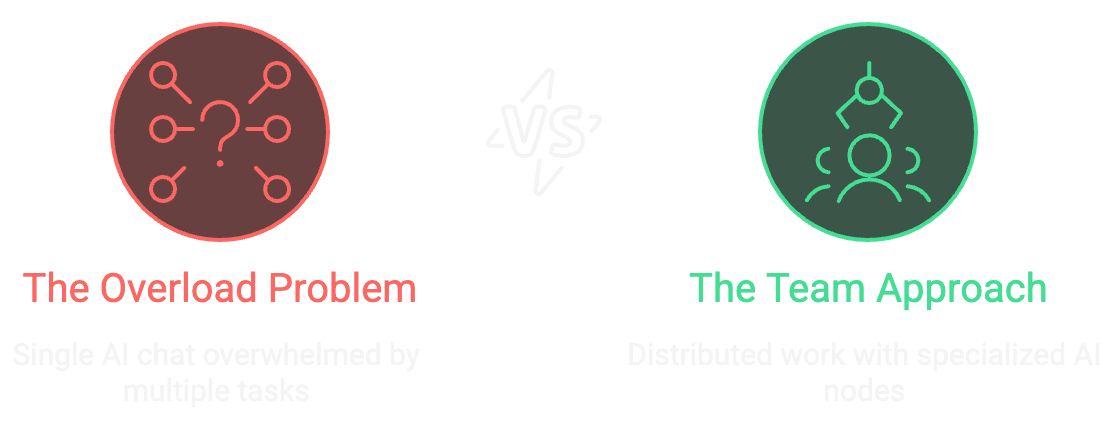
This page covers two methodologies you can incorporate into your everyday work. The Orchestration Model treats AI like a development team. You distribute work across multiple conversations, each with a specific role and scope. This prevents context overload and mirrors how real engineering teams operate. Pair Programming treats AI like a colleague sitting next to you. You think out loud, iterate together, and work through problems collaboratively. This mode works inside orchestration or on its own.
The Orchestration Model
The core idea: don't treat AI as one assistant that handles everything. Treat it like a team.
When you dump an entire problem into a single conversation—architecture, implementation, testing, documentation—you're asking one entity to juggle too much. Context piles up. The model gets confused. You end up in loops.
Instead, distribute work across multiple chats. Each conversation has a specific role and focused scope. You coordinate the pieces the same way you'd coordinate a real development team.
Role Levels
These aren't different AI models. They're different conversation contexts with specialized prompts and constraints. You define the role by how you frame the conversation.
| Role | Purpose | When to Use | Example |
|---|---|---|---|
| Architect | System design, constraints, trade-offs | New features, major refactors, technical strategy | "Define auth architecture with OAuth and JWT" |
| Orchestrator | Break work into tasks, manage handoffs | Sprint planning, epic decomposition | "Break this story into implementable tasks" |
| Senior | Complex logic, integration, code review | Core business logic, tricky bugs | "Build email validation with edge cases" |
| Mid-Level | Standard features, established patterns | CRUD operations, UI components | "Create registration form with validation" |
| Junior | Boilerplate, scaffolding, repetitive tasks | Project setup, config files | "Generate test fixtures for 10 scenarios" |
The Workflow
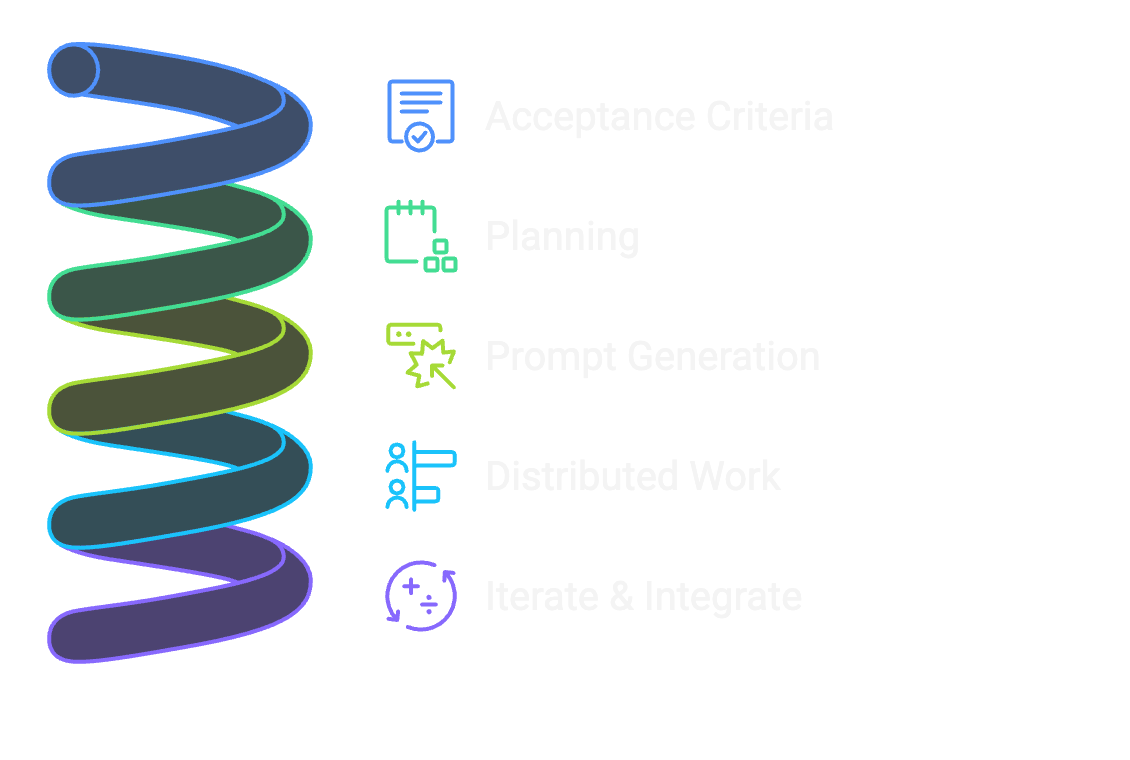
Start with acceptance criteria. A user story, a PBI, or just a clear statement of what you're building.
Break it into phases. Use your orchestrator chat to decompose the work. Ask: "What are the major phases for building this?" You don't need perfect clarity upfront—let the process reveal what you need.
Generate prompts for each phase. Your orchestrator writes the instructions for specialist chats. This ensures consistency and proper context handoff.
Distribute to specialist chats. Architecture goes to an architect chat. Implementation goes to senior or mid-level chats. Boilerplate goes to junior chats. Each conversation stays scoped to its task.
Bring results back. When a specialist finishes, return to the orchestrator. Report what's done. Get the next task. The orchestrator maintains the thread while specialists stay focused.
Managing Handoffs
When to start a new chat: When the task has a different scope than your current conversation. Switching from architecture to implementation? New chat. Debugging to new feature? New chat. Fresh context is a feature.
What to include in a handoff: Clear scope (what this chat handles), necessary context (decisions already made), and success criteria (what "done" looks like). Think of it like a well-written ticket.
Returning to orchestrator: "Email validation complete, tests passing, ready for integration." The orchestrator tracks progress and sequences the next task.
Practical Example
I use one chat as my orchestrator throughout a project. When it identifies a task like "build email validation," I open a new chat, paste the task specification, complete the work, then report back. The orchestrator decides what's next.
This mirrors how I manage my actual engineering teams. I don't give one person every task. I distribute work based on skill sets and coordinate the pieces. Same principle, new context.
Pair Programming
Pair programming is for when you're deep in a specific problem and need to think it through. It works inside orchestration (within a specialist chat) or on its own for focused work.
The approach: treat AI like a colleague sitting next to you. Not commands and outputs. Conversation.
Think Out Loud
Be verbose. Vomit everything you know and think. AI can handle messy input—in fact, it needs it. The more context you provide, the better predictions it can make.
I use voice-to-text to just talk through problems. Disagree with myself. Contradict. Work my thoughts through. Half-formed ideas are fine. Stream of consciousness is fine. All of it is useful signal.
Share the scope of what you're trying to do. "Here's the real problem I'm solving. Help me break it down." Don't hold back context because you think it's too much.
Ask Questions
Treat it like a conversation. "I'm not sure about this approach—what do you think?" "What am I missing here?" "Is there a simpler way to do this?"
The Jarvis model from Iron Man is actually right. Tony Stark doesn't just bark commands. He thinks out loud, asks questions, works through problems in dialogue. That's effective AI collaboration.
When to Start Fresh
Conversations get heavy. Responses start getting confused. The AI forgets things you established earlier. This is normal—it means the context window is full of noise.
When this happens, start a new chat. Summarize what you've figured out. Carry forward the decisions that matter. Leave the cruft behind.
A new chat is like taking a walk when you're stuck on a problem. You're not losing everything—you're clearing your head. The important stuff stays with you.
Knowing when to start fresh is one of the most valuable skills you can develop. Don't treat conversations as investments you can't abandon. Treat them as tools you pick up and put down.
Inside Orchestration
Pair programming and orchestration work together. Your orchestrator breaks down a problem and assigns you a task. In that specialist chat, you're pairing—thinking out loud, iterating, asking questions. When context gets heavy, you start fresh with a clean summary. When the task is done, you return to the orchestrator.
The modes aren't separate. They're different tools for different moments in the same workflow.
Next Steps
See these patterns in action in the Learning Lab, or explore Prompting for techniques on crafting effective prompts.